PRIVACY
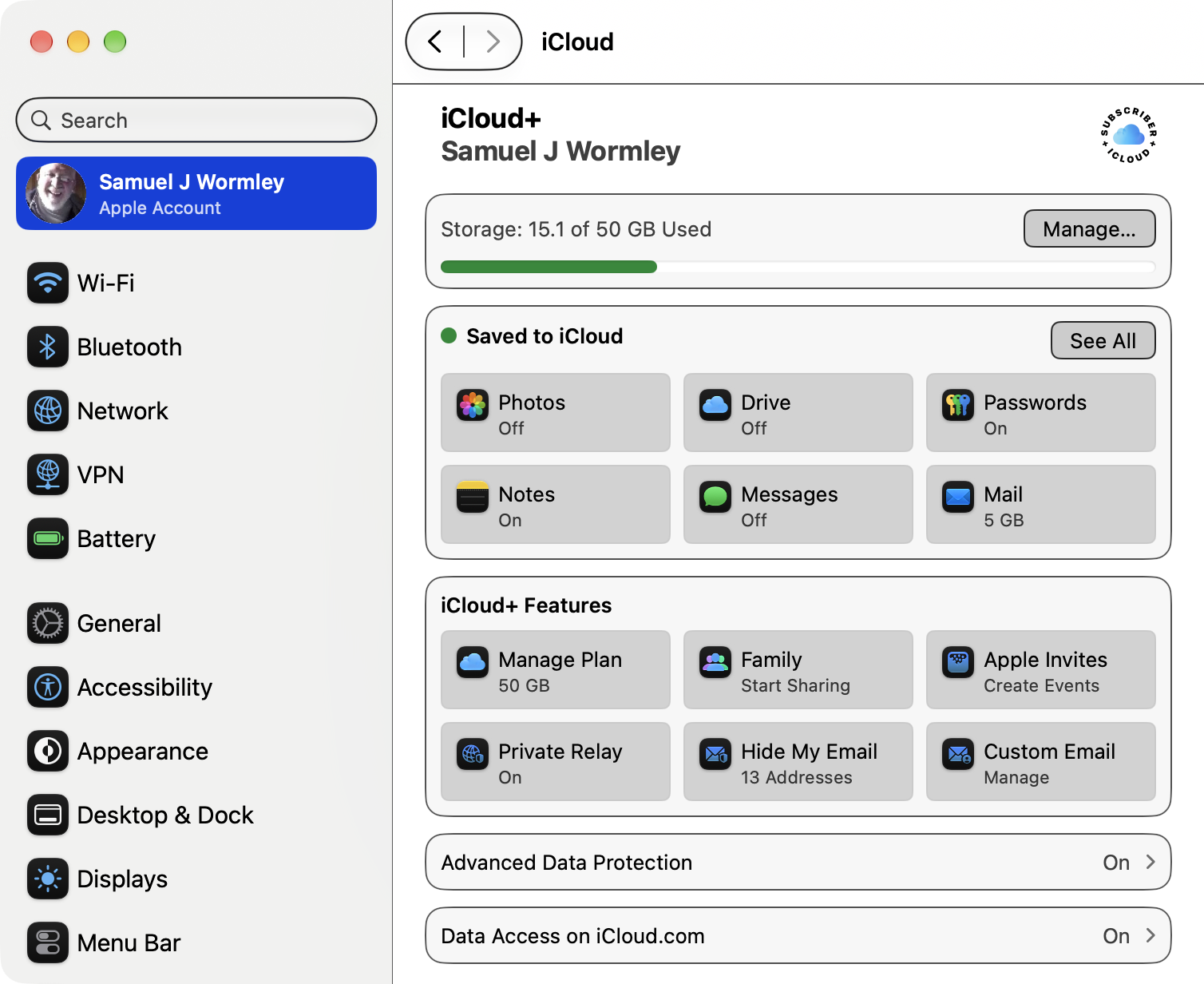
Turn on Private Relay - Enhances Safari Privacy (requires iCloud+)
https://support.apple.com/en-us/102602
Private Relay is designed to protect your privacy by ensuring
that when you browse the web in Safari, no single party — not
even Apple — can see both who you are and what sites you're
visiting.
 Apple's Approach To Privacy
https://www.apple.com/privacy/features/
https://help.apple.com/pdf/personal-safety/en_US/personal-safety-user-guide.pdf
Apple integrates privacy protections directly into the
design of its devices and services. Features such as
end-to-end encryption in iMessage, FaceTime, and iCloud
ensure that only intended recipients can access personal
data.
Apple also employs on-device intelligence to process data
locally, reducing the need for cloud transmission. Tools like
App Tracking Transparency (ATT) and Privacy Labels in the App
Store give users clear insight and choice over how their data
is used.
Meanwhile, technologies such as the Secure Enclave, which
safeguards sensitive information like passwords and biometric
data, and Differential Privacy, which anonymizes collected
data, underscore Apple’s commitment to safeguarding user
information.
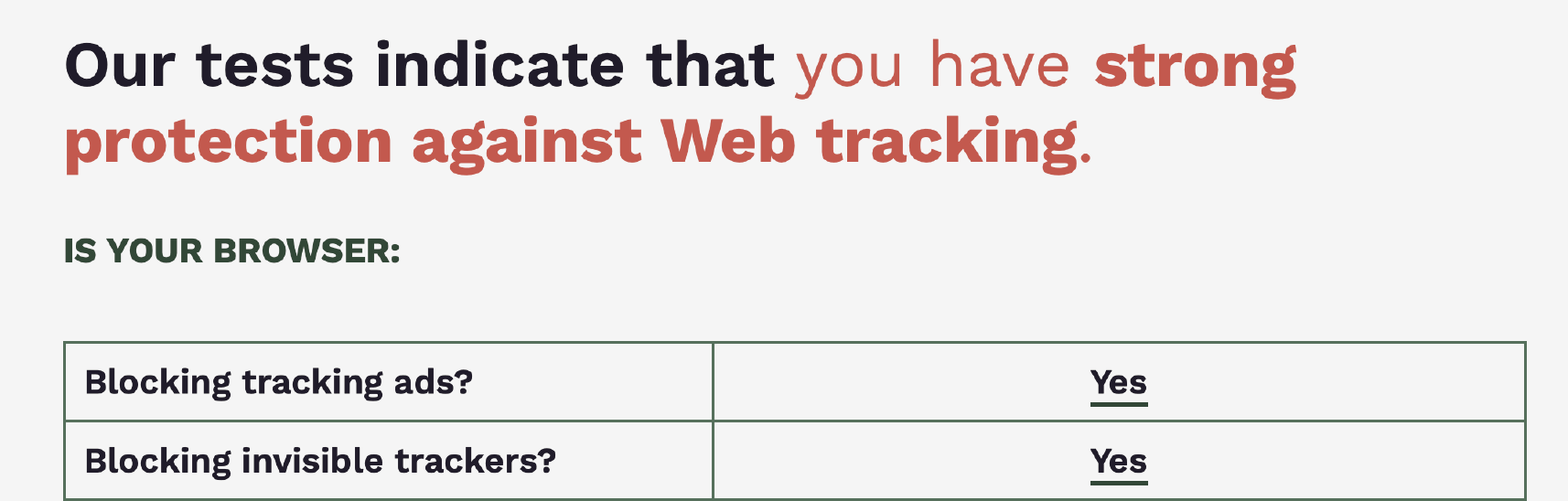
Testing Tracking Privacy (tracking cookies)
Web Browser Cookie Forensics
https://www.grc.com/cookies/forensics.htm
EFF -- Is your browser safe against tracking?
https://coveryourtracks.eff.org
Apple's Approach To Privacy
https://www.apple.com/privacy/features/
https://help.apple.com/pdf/personal-safety/en_US/personal-safety-user-guide.pdf
Apple integrates privacy protections directly into the
design of its devices and services. Features such as
end-to-end encryption in iMessage, FaceTime, and iCloud
ensure that only intended recipients can access personal
data.
Apple also employs on-device intelligence to process data
locally, reducing the need for cloud transmission. Tools like
App Tracking Transparency (ATT) and Privacy Labels in the App
Store give users clear insight and choice over how their data
is used.
Meanwhile, technologies such as the Secure Enclave, which
safeguards sensitive information like passwords and biometric
data, and Differential Privacy, which anonymizes collected
data, underscore Apple’s commitment to safeguarding user
information.
Testing Tracking Privacy (tracking cookies)
Web Browser Cookie Forensics
https://www.grc.com/cookies/forensics.htm
EFF -- Is your browser safe against tracking?
https://coveryourtracks.eff.org
 Privacy When Using the Internet (OLLI course)
http://edu-observatory.org/olli/Privacy/index.html
Privacy When Using the Internet (OLLI course)
http://edu-observatory.org/olli/Privacy/index.html
SECURITY
Security Guide for your Apple Devices
http://edu-observatory.org/olli/Manage/SecurityGuide.html
Keep your Mac Secure -- System Settings > General > Software Update
https://support.apple.com/en-us/100100
 Turn on Advanced Data Protection - Enhances iCloud Security (requires iCloud+)
https://support.apple.com/guide/security/advanced-data-protection-for-icloud-sec973254c5f/web
Advanced Data Protection for iCloud is a setting that offers
Apple’s highest level of cloud data security. When a user
turns on Advanced Data Protection, their trusted devices
retain sole access to the encryption keys for the majority of
their iCloud data, thereby protecting it with end-to-end
encryption.
iCloud Security Overview
https://support.apple.com/en-us/HT202303
http://edu-observatory.org/olli/Manage/E2EE.html
Apple Platform Security
https://support.apple.com/guide/security/welcome/web
Security and your Apple Account
https://support.apple.com/en-us/HT201303
Two-Factor Authentication
https://support.apple.com/en-us/HT204915
Passwords & Passkeys
http://edu-observatory.org/olli/Manage/Passwords.html
Recommended Security Related Apps
Malwarebytes (free)
https://www.malwarebytes.com/mac-download
CleanMyMac (not free, but excellent)
https://macpaw.com/cleanmymac
AppCleaner (free)
http://www.freemacsoft.net/appcleaner/
Patrick Wardle -- Objective-see Security Tools (free)
https://objective-see.com
Patrick Wardle's security tools are proactive serving to
protect, monitor and alert. However, some understanding of
how your computer works is required. Objective-See was
created to provide simple, yet effective macOS security
tools. Always free of charge - no strings attached!
Recommended Settings Finder, Safari, System Preferences
http://edu-observatory.org/olli/Manage/Settings.html
NSA: Best Practices For Securing Your Home Network
https://media.defense.gov/2023/Feb/22/2003165170/-1/-1/1/CSI_BEST_PRACTICES_FOR_SECURING_YOUR_HOME_NETWORK.PDF
Turn on Advanced Data Protection - Enhances iCloud Security (requires iCloud+)
https://support.apple.com/guide/security/advanced-data-protection-for-icloud-sec973254c5f/web
Advanced Data Protection for iCloud is a setting that offers
Apple’s highest level of cloud data security. When a user
turns on Advanced Data Protection, their trusted devices
retain sole access to the encryption keys for the majority of
their iCloud data, thereby protecting it with end-to-end
encryption.
iCloud Security Overview
https://support.apple.com/en-us/HT202303
http://edu-observatory.org/olli/Manage/E2EE.html
Apple Platform Security
https://support.apple.com/guide/security/welcome/web
Security and your Apple Account
https://support.apple.com/en-us/HT201303
Two-Factor Authentication
https://support.apple.com/en-us/HT204915
Passwords & Passkeys
http://edu-observatory.org/olli/Manage/Passwords.html
Recommended Security Related Apps
Malwarebytes (free)
https://www.malwarebytes.com/mac-download
CleanMyMac (not free, but excellent)
https://macpaw.com/cleanmymac
AppCleaner (free)
http://www.freemacsoft.net/appcleaner/
Patrick Wardle -- Objective-see Security Tools (free)
https://objective-see.com
Patrick Wardle's security tools are proactive serving to
protect, monitor and alert. However, some understanding of
how your computer works is required. Objective-See was
created to provide simple, yet effective macOS security
tools. Always free of charge - no strings attached!
Recommended Settings Finder, Safari, System Preferences
http://edu-observatory.org/olli/Manage/Settings.html
NSA: Best Practices For Securing Your Home Network
https://media.defense.gov/2023/Feb/22/2003165170/-1/-1/1/CSI_BEST_PRACTICES_FOR_SECURING_YOUR_HOME_NETWORK.PDF
MAINTENANCE
Keep your Mac Healthy -- Restart or Shut Down Regularly
https://support.apple.com/guide/mac-help/shut-down-or-restart-your-mac-mchlp2522/mac
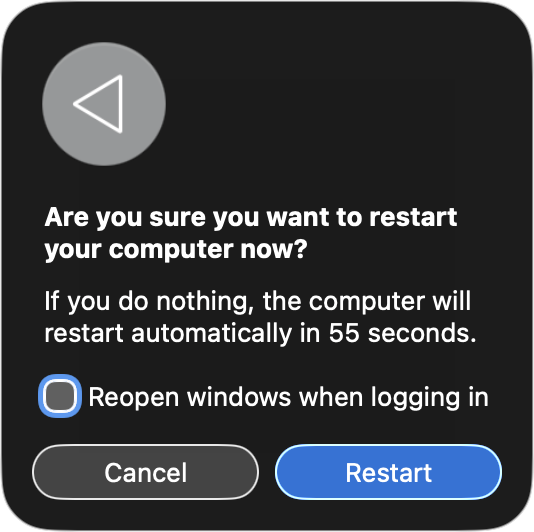
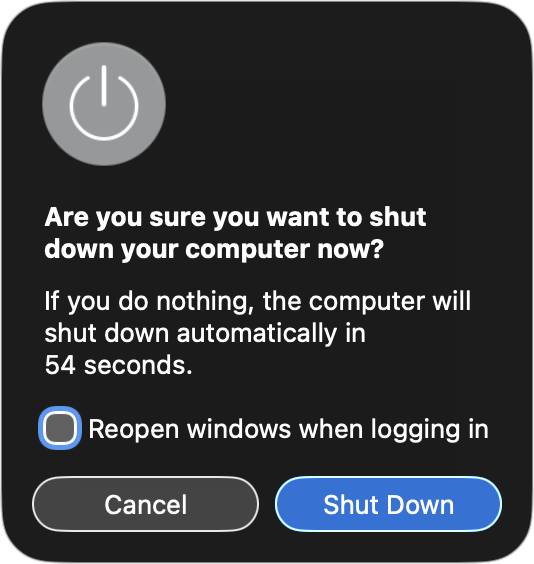 Safest: Uncheck Reopen windows when logging in
Restarting your Mac isn’t just about turning it off and on
again—it’s a critical maintenance step that can improve
performance, resolve system glitches, and refresh essential
hardware components. Restarting also performs essential
self-diagnostics and hardware resets.
Keep you Mac Healthy -- Physically Clean
http://edu-observatory.org/olli/Manage/Cleaning.html
https://support.apple.com/en-us/HT204172
https://support.apple.com/en-us/HT207123
Keyboards, trackpads, mice, touching screens, SSDs, and cords
provide excellent storage and transmission of bacteria and
viruses, such as COVID-19, influenza, and the common cold.
Furthermore, sneezes, coughs, pieces of food, and greasy
smudges degrade our vision and touch experiences.
Unhealthy and Gross!
Use a microfiber cloth or microfiber wipe to remove grease,
fingerprints, sneezes, viruses, germs, and other debris.
Keep you Mac Healthy -- Managing Your Digital Stuff
http://edu-observatory.org/olli/Manage/index.html
It goes without saying that when we are connected to the
internet we need to pay attention to Security and Privacy.
But we should also practice good digital housekeeping to
reduce stress, increase efficiency, and simplify life.
Safest: Uncheck Reopen windows when logging in
Restarting your Mac isn’t just about turning it off and on
again—it’s a critical maintenance step that can improve
performance, resolve system glitches, and refresh essential
hardware components. Restarting also performs essential
self-diagnostics and hardware resets.
Keep you Mac Healthy -- Physically Clean
http://edu-observatory.org/olli/Manage/Cleaning.html
https://support.apple.com/en-us/HT204172
https://support.apple.com/en-us/HT207123
Keyboards, trackpads, mice, touching screens, SSDs, and cords
provide excellent storage and transmission of bacteria and
viruses, such as COVID-19, influenza, and the common cold.
Furthermore, sneezes, coughs, pieces of food, and greasy
smudges degrade our vision and touch experiences.
Unhealthy and Gross!
Use a microfiber cloth or microfiber wipe to remove grease,
fingerprints, sneezes, viruses, germs, and other debris.
Keep you Mac Healthy -- Managing Your Digital Stuff
http://edu-observatory.org/olli/Manage/index.html
It goes without saying that when we are connected to the
internet we need to pay attention to Security and Privacy.
But we should also practice good digital housekeeping to
reduce stress, increase efficiency, and simplify life.
APPLE SUPPORT
https://support.apple.com
https://www.youtube.com/@applesupport/videos
https://getsupport.apple.com
800-MY-APPLE (800-692-7753)
Product Service and Repair Information
https://support.apple.com/repair/products
http://edu-observatory.org/olli/Manage/Repairs.html
Apple Store - Jordan Creek Mall
https://www.apple.com/retail/jordancreek/
https://www.apple.com/today/calendar/jordancreek/?sn=R109
Contact Apple About Security Issues
https://support.apple.com/en-us/HT201220
800-MY-APPLE (800-692-7753)
Apple Resources (Managing Your Digital Stuff)
http://edu-observatory.org/olli/Manage/index.html
http://edu-observatory.org/olli/Manage/apple.html
sam.wormley@icloud.com